
How to use the bounce decoder tool
I've added a few tools to this site, partially as quick access for myself, but also in the hope that you might also find them useful!
Today's tool is the bounce decoder. If you've ever looked through your email service provider's logs and spotted a failure, you may have noticed the 4.X.X or 5.X.X number alongside it. These failure codes describe the reason your email bounced. There's a message attached to the code too, written by the mailbox provider that turned your email away: Gmail, Outlook, Yahoo and so on. Your email service provider just passes it on. Each mailbox provider words its messages differently, so you don't just have to learn to interpret these messages once: you need a whole language for each provider.
Try the bounce decoder tool out for yourself!
With this tool, you can paste in a bounce from any of the big mailbox providers for a real breakdown of what it means, making it much easier to identify the cause. It also recognises the major spam filters, like Spamhaus and Proofpoint. For smaller providers, it falls back to a fuller description of the standard code.
What to paste in?
You can paste the whole bounce or just the line with the error in it. The part that matters is the reply from the receiving server, which is usually easy to spot:
- In your ESP's logs, open the failed event and copy the "response", "reason" or "diagnostic" field.
- In a bounce email (the "Undelivered Mail Returned to Sender" kind), look for the lines after
said:,The response was:orDiagnostic-Code:.
If you're not sure which part is the error, paste the lot. The tool picks out the codes, the receiving server and the recipient for you. It all runs in your browser, so nothing you paste is sent anywhere.
What do you get back?
For each bounce, the tools tells you:
- What kind of failure it is: a hard bounce (the address is gone), a temporary deferral, a block on your IP or domain, an authentication failure, spam filtering, rate limiting, or a rule on the recipient's side.
- The code, and whether it's permanent (5xx: no retry) or temporary (4xx: your server will keep trying).
- Who said it: which mailbox provider or filter rejected the message, and the server name if it's in the bounce.
- The recipient, if it's found in the text you pasted.
- What it means, in plain English.
- What to do next, and a link to the provider's own documentation.
Here are a few real-world examples.
Gmail: "the sender is unauthenticated"
This is the bounce I see most often since Gmail tightened its rules for bulk senders. Here it is as a typical bounce email shows it, wrapped over several lines:
<reader@gmail.com>: host gmail-smtp-in.l.google.com[142.250.27.26] said:
    550-5.7.26 This mail has been blocked because the sender is
    unauthenticated. Gmail requires all senders to authenticate with either SPF
    or DKIM. 550-5.7.26  550-5.7.26  Authentication results: 550-5.7.26  DKIM =
    did not pass 550-5.7.26  SPF [news.example.com] with ip: [203.0.113.10] = did
    not pass 550-5.7.26  550 5.7.26 For instructions on setting up authentication,
    go to https://support.google.com/mail/answer/81126#authentication - gsmtp
    (in reply to end of DATA command)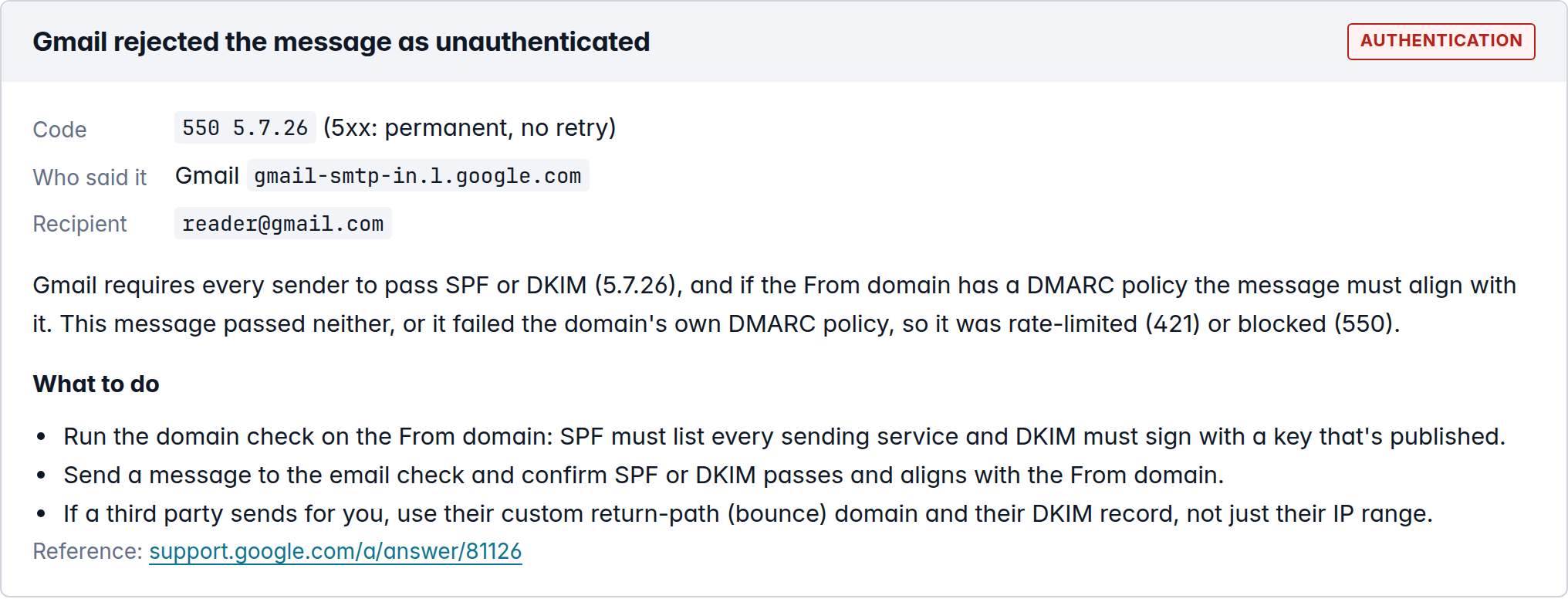
The useful bit is in the middle of the bounce: both DKIM and SPF "did not pass". That points to a DNS problem, usually a sending service that was never added to SPF, or DKIM that was never set up for your domain. There's a link to my domain check tool, which will tell you which one it is.
Outlook.com: "part of their network is on a blocklist (S3150)"
550 5.7.1 Unfortunately, messages from [203.0.113.10] weren't sent. Please contact your Internet service provider since part of their network is on our block list (S3150). You can also refer your provider to http://mail.live.com/mail/troubleshooting.aspx#errors.
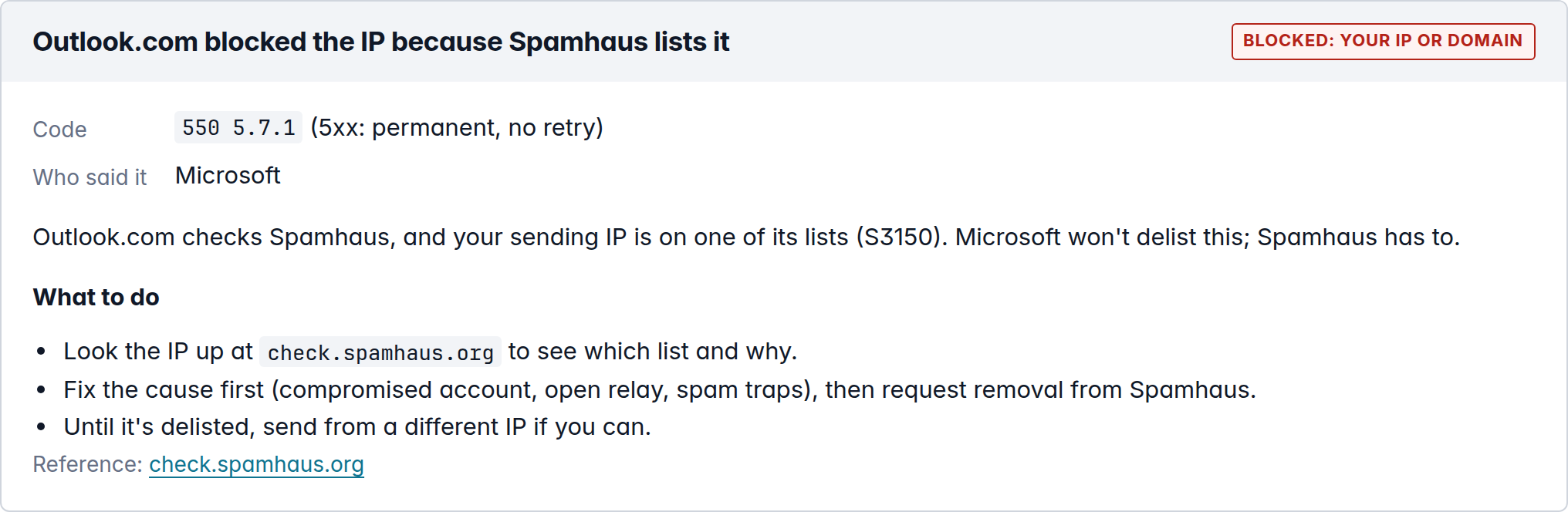
The wording sounds like a Microsoft decision, but the S3150 code means your sending IP is on a Spamhaus list. Microsoft can't remove it, so writing to Microsoft's sender support won't help. You need to look the IP up with Spamhaus, fix whatever caused the listing, then request removal there.
Yahoo: "temporarily deferred (TSS04)"
421 4.7.0 [TSS04] Messages from 203.0.113.10 temporarily deferred due to unexpected volume or user complaints
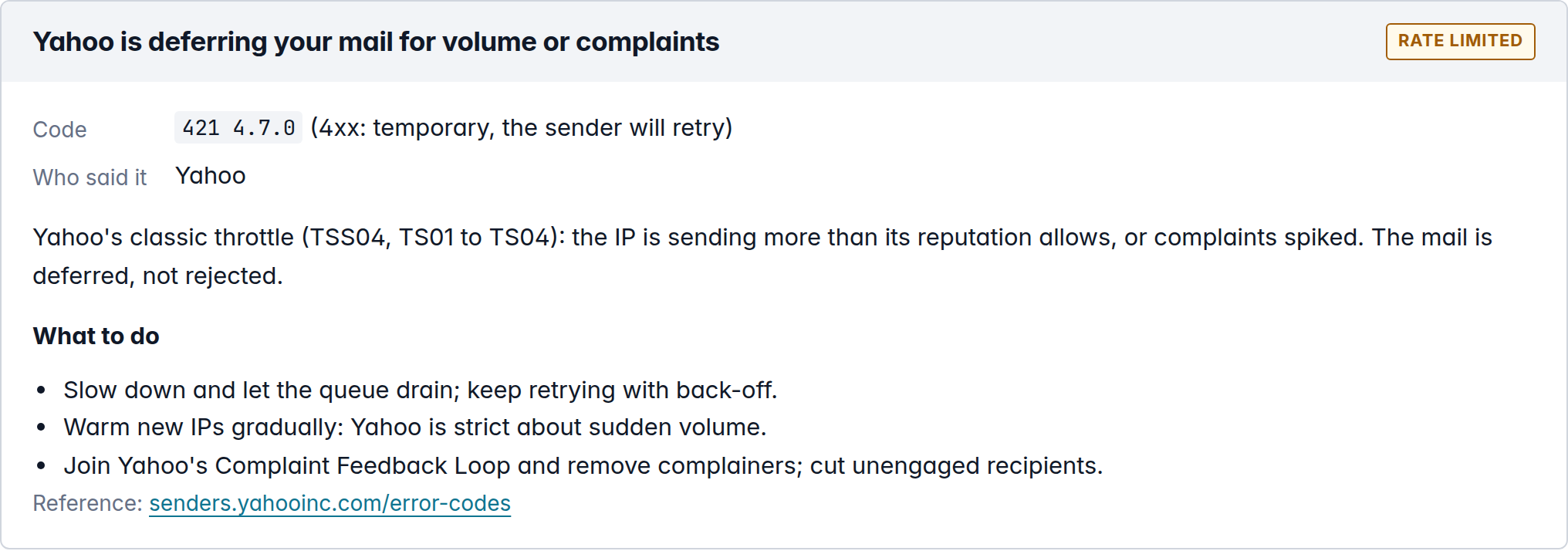
This one isn't a bounce yet. Yahoo is asking your server to slow down and try again later, and the mail will usually get through. If it keeps happening, it's a sign you're sending more than your reputation with Yahoo supports, or that spam complaints have gone up.
Smaller provider: "user unknown"
The tool doesn't know every provider's wording. When it doesn't recognise the text, it falls back to what the standard code means:
<jo@smallco.example>: host mx1.smallco.example[198.51.100.7] said: 550 5.1.1 <jo@smallco.example>: Recipient address rejected: User unknown in local recipient table (in reply to RCPT TO command)
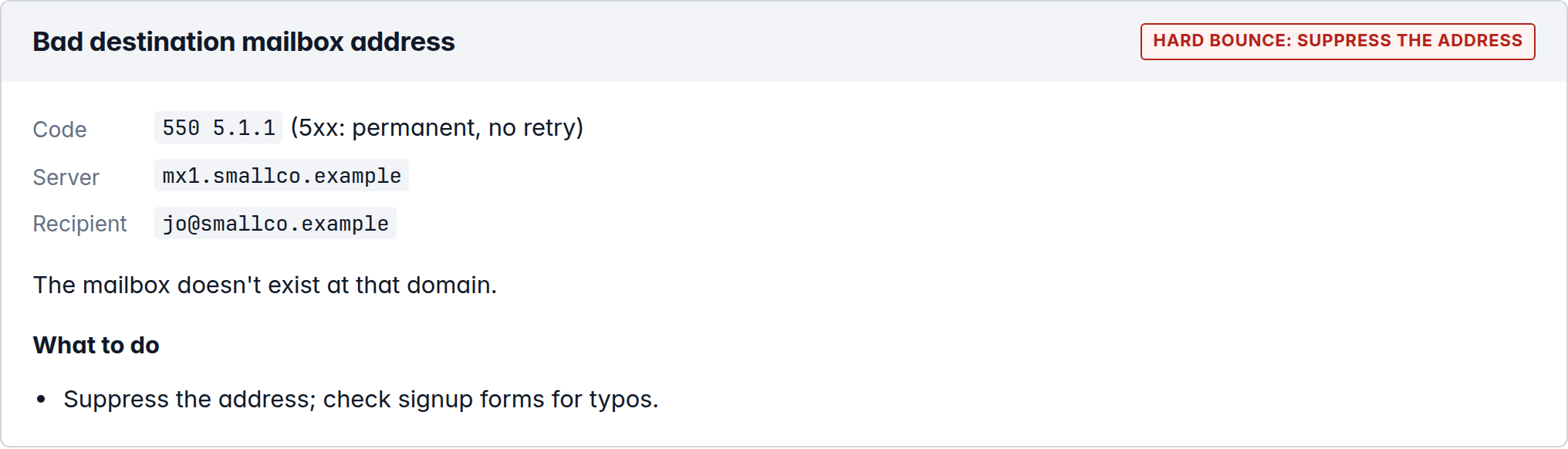
The 5.1.1 code means the address doesn't exist, regardless of who runs the server. Stop sending to it. Mailbox providers treat repeated send attempts to addresses that don't exist as a sign of poor list hygiene.
If you've worked out why your emails are bouncing, but you're not sure what to do next...
Book a free 20-minute call with me. We can discuss why your emails are bouncing and make a plan to improve it!